Answering questions about user behavior has always been harder than it should be. Which pages have the most frustrated users? Why is signup conversion dropping? What are mobile visitors actually doing on the site? Getting answers used to mean exporting data, building filters, cross-referencing tools, and watching recordings until you stumbled on something useful.
Today we're launching Ask Inspectlet AI — a conversational AI analyst that lets you ask questions about your users in plain English and get instant, data-backed answers.
Just Ask
Type a question. Get an answer. That's it.
Ask Inspectlet AI understands natural language, so you don't need to know query syntax, build custom reports, or set up filters. You ask a question the way you'd ask a colleague, and the AI searches your analytics data in real time, runs the analysis, and streams the results back — complete with formatted tables, dimensional breakdowns, and direct links to relevant session recordings.
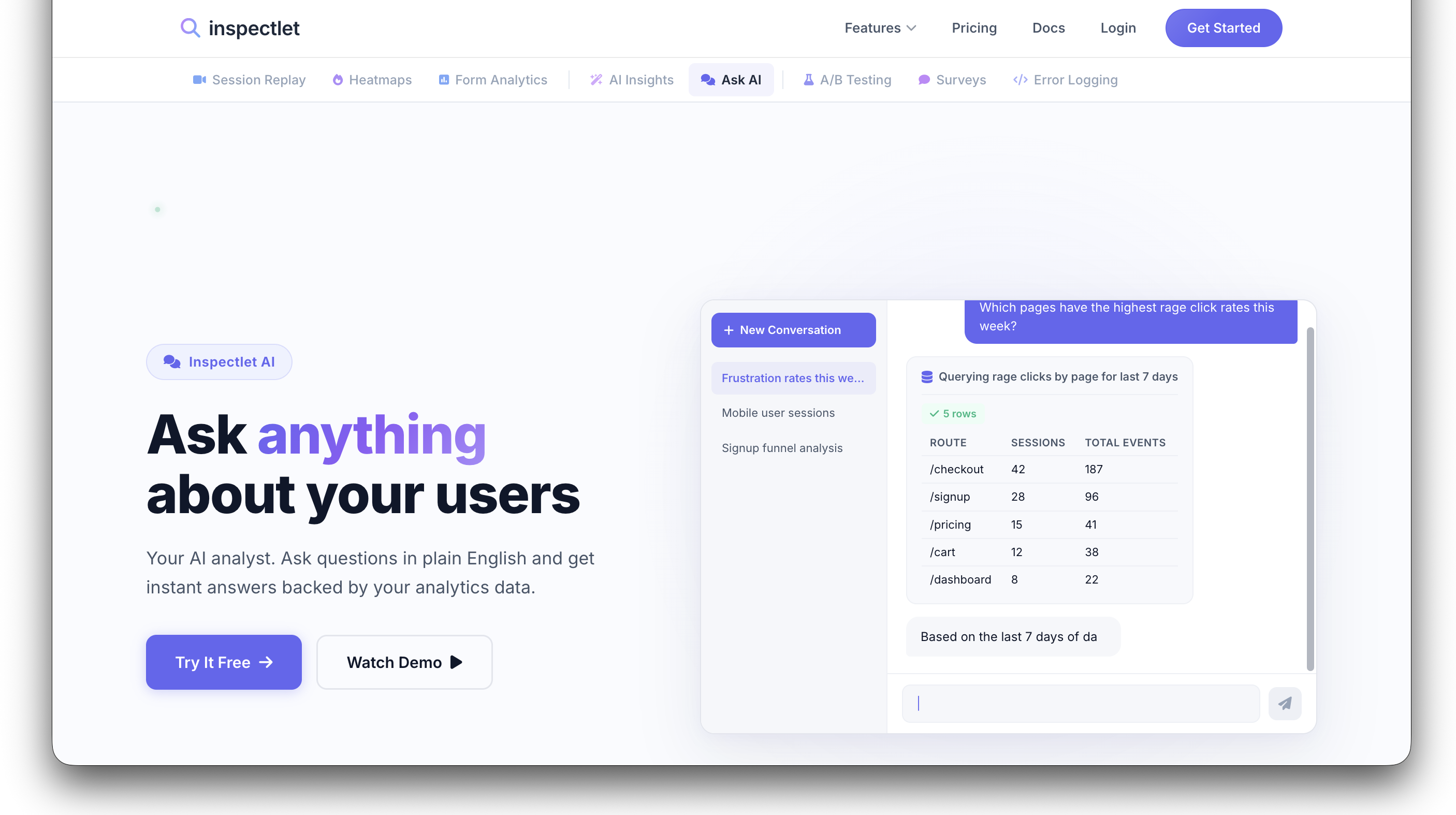
Ask "Which pages have the highest rage click rates this week?" and you get a table of pages ranked by rage clicks, with session counts and total events. Ask "Compare mobile vs desktop engagement this month" and you get a side-by-side breakdown. The answers aren't canned — they're generated live from your actual data.
Multi-Step Reasoning
What makes this more than a search box is the AI's ability to chain multiple lookups into a single response. It doesn't just answer the surface question — it digs deeper.
Ask "Show me sessions where users rage-clicked the Place Order button" and the AI will:
- Search your session data for rage clicks on that specific element
- Return a table of matching sessions with click counts and durations
- Provide direct links to watch each session replay
- Analyze the pattern across sessions and explain what's likely going wrong
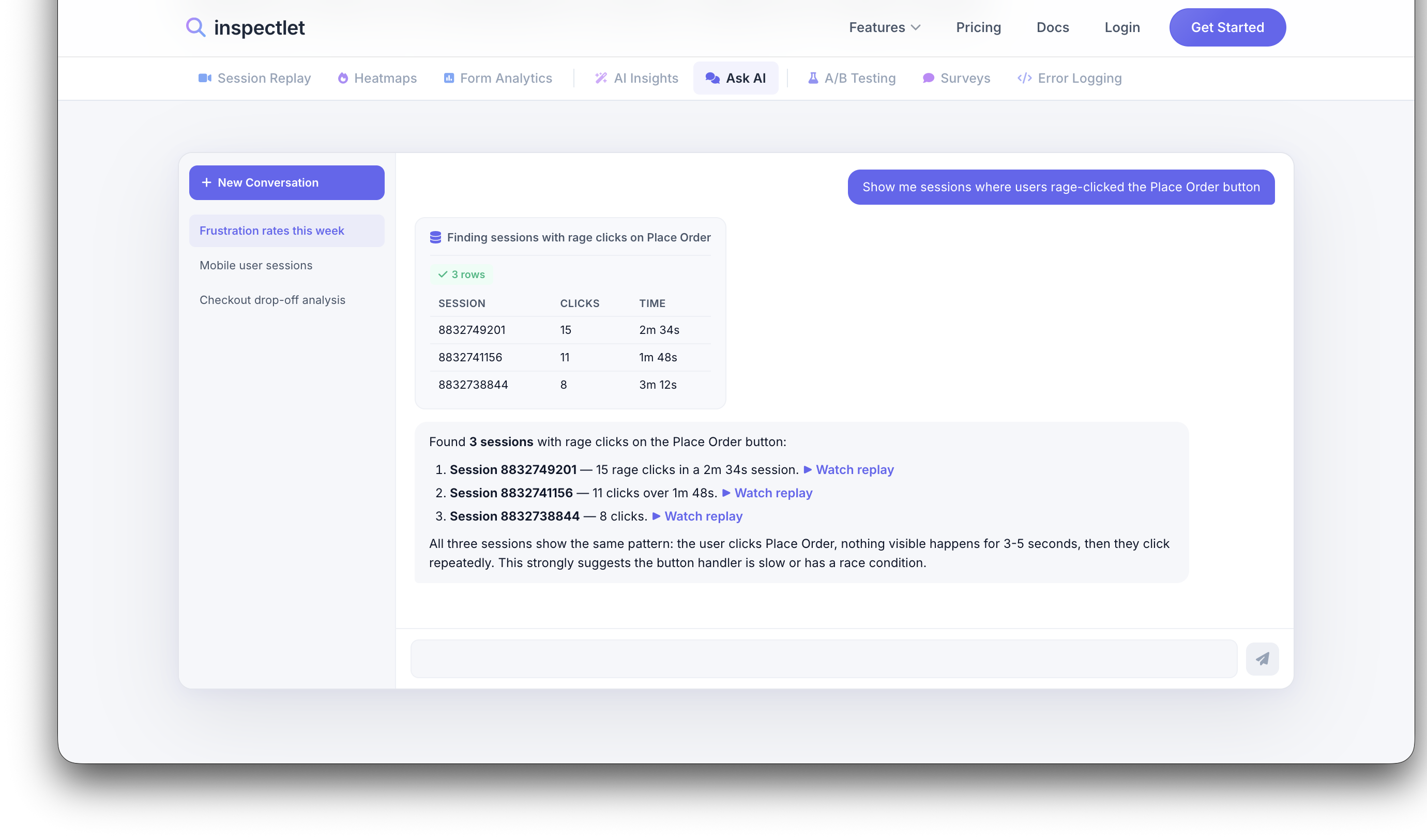
That last part is key. The AI doesn't just hand you raw data — it reads the pattern and tells you what it means. In the example above, it noticed that all three sessions showed the same behavior: the user clicks Place Order, nothing visible happens for 3-5 seconds, then they click repeatedly. Its conclusion: the button handler is slow or has a race condition. That's the kind of insight that would take a human analyst an hour to piece together.
What You Can Ask
The range of questions is broad. Here are some real examples:
- "Which pages have the highest rage click rates?" — Surface UX friction across your entire site
- "Show me frustrated sessions from mobile users this week" — Filter by device, timeframe, and behavior
- "What's the most common user flow on my site?" — Understand navigation patterns
- "Are there any conversion funnel drop-offs?" — Spot where users abandon key flows
- "What are visitors from Germany doing on my site?" — Segment by geography
- "Watch session 1234567 and tell me what happened" — The AI will narrate a specific recording and summarize the user's experience
- "Why is my signup conversion dropping?" — Open-ended diagnostic questions that the AI breaks down into concrete findings
You can also ask follow-up questions. The AI maintains context within a conversation, so you can drill from a broad overview into specific sessions without starting over.
Session Recording Analysis
One of the most powerful capabilities is the AI's ability to "watch" session recordings and provide a narrated summary. Ask it to analyze a specific session and it will describe what the user did, where they struggled, and what stands out — without you having to watch the full recording yourself.
This is especially useful for triaging. When your dashboard shows dozens of flagged sessions, you can ask the AI to summarize a few before deciding which ones are worth watching in full.
Every Conversation Is Saved
Every conversation with Ask Inspectlet AI is automatically saved, so you can revisit past findings, pick up where you left off, or share a conversation thread with your team. Your analysis history becomes a living record of what your team has investigated and discovered.
Getting Started
Ask Inspectlet AI is available now. If you have an Inspectlet account, you can start asking questions immediately — no additional setup or configuration needed.
Try Ask Inspectlet AI or visit the feature page for a closer look at how it works.